
Instructions patients follow, before and after the procedure.
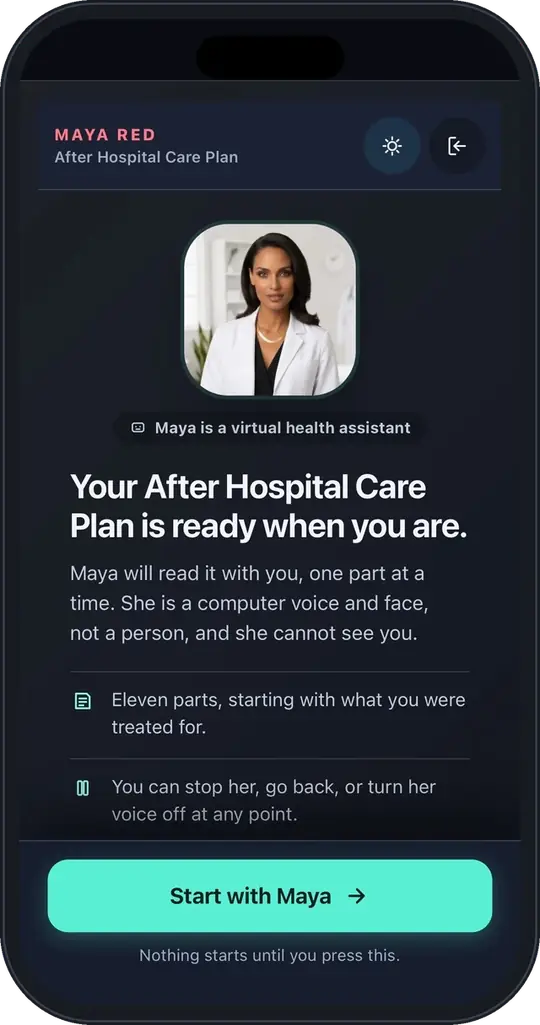
The same Maya technology behind MayaRED turns your preprocedure prep, recovery instructions, new-diagnosis education and new-medication guidance into personalized, multilingual conversations. Send the instructions by secure email; within minutes the patient can open them from a secure web link, and Maya checks they understood.
Send. Generate. Engage.
Your instructions stay the source. Maya explains them; it doesn't substitute its own.
- 01 · Send
Secure email
Your staff sends the patient's prep sheet, discharge instructions or after-visit summary to Maya by secure email.
- 02 · Generate
A personal conversation
Within minutes, Maya turns it into a plain-language conversation for this patient, in their language.
- 03 · Engage
A secure web link
The patient opens it on a phone or computer, asks questions and confirms each step with teach-back.
Fewer surprises on the day. Fewer calls after.
Patients arrive prepared and go home knowing what to do, with your center's own instructions explained one step at a time.
Preprocedure education and preparation
Arrival time, fasting and medication-hold instructions, transportation and what to bring, with teach-back on each step.
Postprocedure recovery instructions
Wound care, pain control, activity limits and the warning signs that mean call, explained once the patient is home.
Colonoscopy and endoscopy
Built from your center's prep instructions: diet changes, the bowel-prep timeline, medication holds, day-of logistics and what to expect afterward.
The visit ends. The explanation doesn't.
For the moments patients leave with the most to remember: a new diagnosis, a new medicine, and the questions that come up at home.
New diagnosis education
What the diagnosis means, what happens next and what to watch for, using your practice's own education and plan.
New medication initiation
Why it was prescribed, how and when to take it, which side effects to expect and which ones need a call, confirmed with teach-back.
Follow-up questions and escalation
Patients ask follow-up questions in their own language. Answers that point to a problem, and questions your instructions don't cover, go to your team with the conversation attached.
Adds to your workflow. Replaces nothing.
Your staff stays in charge
Your nurses and front desk keep doing pre-op calls and education. Maya makes sure every patient got it, in their language.
Nothing to install
Start with secure email. Integrations with your systems are optional and can come later.
Protected from day one
We sign a business associate agreement before any patient information is shared.
Questions centers and practices ask
Which procedures can you support?
Maya works from the instructions you already give patients, so each pathway is built from your own documents. We'll pick your first procedures together on the demo call.
Do patients need an app?
No. Patients open their conversation from a secure web link on a phone or computer.
Does Maya give medical advice?
Maya explains your instructions and checks understanding. Questions that need clinical judgment go to your team.
Which languages are supported?
The platform supports 32 languages, and patients choose theirs.
Start with one procedure.
Pick one procedure or one new-diagnosis pathway and send the first instructions by secure email. A 20-minute demo is the first step.